Advising Services FAQ
Eastern New Mexico University - RoswellAnswers to Frequently Asked Questions

Get Answers to Common Questions
How do I schedule an appointment with an advisor?
You may schedule an appointment [ Online ] via the Advising Services page, by calling the Advising Center at 1 (575) 624-7294, or by emailing [email protected]. The Advising Center also accommodates as many walk-in students as possible on a first-come, first-service basis. Students are welcome to be seen as a walk-in, without scheduling an appointment, Monday through Thursday - and Friday, - . All efforts will be made to accommodate every student in need of assistance before closing. Please call 1 (575) 624-7000 to confirm walk-in availability before coming to campus.
How do I set up my CosmoLink account (Student Account)?
To access the student portal (Cosmolink), you will need to know your username and password. If you are a new student who has not logged in before, you will need to set up your account using the Account Pickup tool (below). This tool displays your username, ENMU email address, and temporary password.
For this step, you will need to know your student ID number and date of birth. If you do not know your student ID number, please contact Admissions and Records at 1 (575) 624-7141.
To begin, please use the [ Account Pickup ] tool. This application will open in a new tab or window. read the Email and Computer Use policies, checkmark that you have read them, enter your ID number, select the 'Roswell' campus from the drop-down menu, and enter your date of birth. Finally, click or tap on the 'Submit' button.
For more comprehensive instructions and remedies to common issues, please see the Computer Service's [ Guide ] to logging in and setting up Multi Factor Authentication (MFA).
What classes are required for my degree plan?
Ultimately, that depends on which catalog year you fall under. You can always see the degree requirements in the ENMU-Roswell [ Catalog ] or via the Degree Works Degree Evaluation tool under the Student Resources tab in CosmoLink.
To begin, open the [ Degree Audit ] tool. You may be required to sign in with your ENMU credentials.
Where can I get help with study tips, time management, etc.?
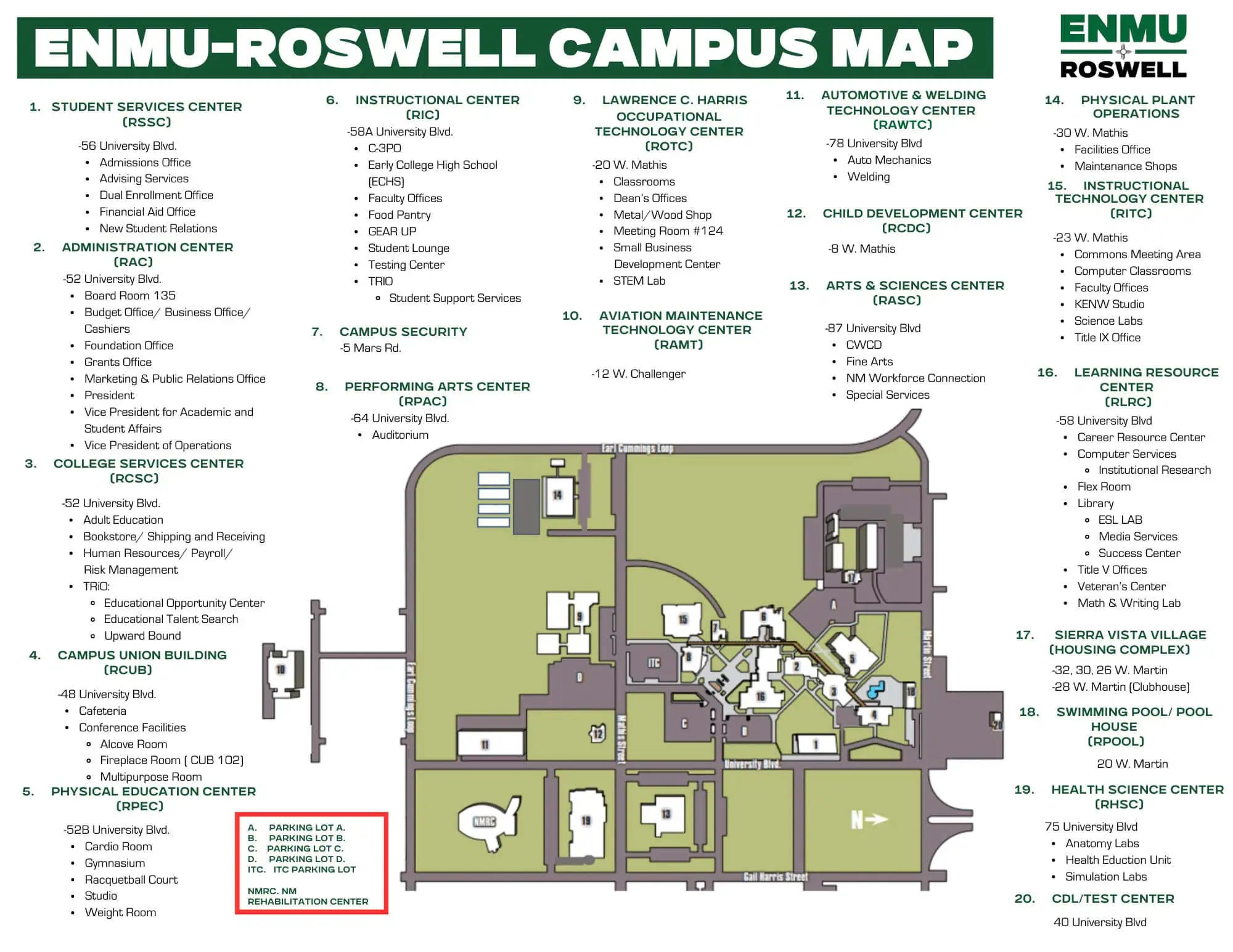
The ENMU-Roswell campus offers a variety of student assistance services to help you in almost any subject. Visit the Learning Resource Center (LRC) for more information on how to get help with classes, basic needs assistance, or to arrange tutoring. For general questions, please call 1 (575) 624-7225. Online tutoring options are also available through the NetTutor service.
For instructions on using NetTutor, please read the [ Accessing NetTutor ] guide. Be advised that this guide uses some outdated information, but the general process remains the same. Students will no longer use the SD domain, so ensure that you are signing in with AD.
How do I calculate my GPA?
You can estimate your GPA by using the GPA Calculator tool at https://gpacalculator.net/college-gpa-calculator/
How do I change my major or declare a major if I’m a non-degree student?
Fill out a [ Change Form ] and submit the completed form to the Student Services Center (SSC).
How do I apply for graduation?
Find the Graduation Checklist and Graduation Application on the Graduation page at https://www.roswell.enmu.edu/graduation/
How do I request an official copy of my transcripts?
To order official transcripts, use our partner site, National Student Clearinghouse. Please note that, effective July 1st, 2024, there will be a charge for official transcripts whether they are delivered electronically, by mail, or picked up in-person.
To begin, please visit the [ National Student Clearinghouse ] website, carefully read the instructions and disclaimers, and then proceed by clicking or tapping the 'Order Transcripts' button at the bottom of the page.
How do I withdraw from a class?
Students without registration holds can withdraw through their SSB in CosmoLink. Always visit with Financial Aid prior to making any changes to your schedule! For assistance, contact the Advising office at 1 (575) 624-7294.
To begin, please sign in to your [ Cosmolink ] account.
Where can I see a list of what classes are being offered next semester?
Desktop or Laptop
If you are using a desktop, laptop, or Chromebook computer, visit the ENMU-Roswell homepage at https://www.roswell.enmu.edu/. From the main site menu at the top, find the menu item labelled 'Students' and either click or hover with your mouse cursor. A menu will appear. Under the heading 'Classes', click the 'Class Schedule' link. This will direct you to the Class Schedule page. From the Class Schedule page, under the column labelled 'TERM', select the appropriate semester from the drop-down menu to view a list of classes offered.
Phone or Tablet
If you are using a mobile device such as a phone or tablet, please visit the ENMU-Roswell homepage at https://www.roswell.enmu.edu/, and tap on the "+" symbol in the upper left-hand corner. A menu will appear. Tap 'Class Schedule'. You will be directed to the Class Schedule page. From the Class Schedule page, under the column labelled 'TERM', select the appropriate semester from the drop-down menu to view a list of classes offered.How can I tell if a course is being offered online?
Desktop or Laptop
If you are using a desktop, laptop, or Chromebook computer, visit the ENMU-Roswell homepage at https://www.roswell.enmu.edu/. From the main site menu at the top, find the menu item labelled 'Students' and either click or hover your mouse. A menu will appear. Under the 'Classes' section, click on Class Schedule. You will be directed to the Class Schedule page. At the top of the Class Schedule page, under the column labelled 'Term', select the appropriate semester from the drop-down menu. To view online classes only, find the 'Class Type' column to the right and select "Web Classes" from the drop-down menu to filter out anything that isn't available as an Online course.
Phone or Tablet
If you are using a mobile device such as a phone or tablet, please visit the ENMU-Roswell homepage at https://www.roswell.enmu.edu/, and tap the "+" symbol in the upper left-hand corner. A menu will appear. Tap on the menu item labelled 'Class Schdule'. You will be directed to the Class Schedule page. At the top of the Class Schedule page, under the column labelled 'Term', select the appropriate semester from the drop-down menu. To view online classes only, find the 'Class Type' column to the right and select "Web Classes" from the drop-down menu to filter out anything that isn't available as an Online course.Where can I get a copy of the ENMU-Roswell Course Catalog?
Desktop or Laptop
If you are using a desktop, laptop, or Chromebook computer, visit the ENMU-Roswell homepage at https://www.roswell.enmu.edu/. In the site menu at the top, look for the menu item labelled 'Students' and click or hover your mouse. A menu will appear. Under the 'Getting Started' section, look for 'Course Catalog' and click. This will direct you to the current Online catalog.
For a copy of the Course Catalog from a previous year, you will find links on the [ Current Students ] page under the section labelled 'Course Catalogs'.
Phone or Tablet
If you are using a mobile device such as a phone or tablet, please visit the ENMU-Roswell homepage at https://www.roswell.enmu.edu/, and tap the "+" symbol in the upper left-hand corner. A menu will appear. Look for the menu item labelled 'Course Catalog' and tap. This will direct you to the current Online catalog.If you require a previous year's copy of the Course Catalog, tap the "+" symbol in the upper left-hand corner to bring up the auxiliary menu. Look for the menu item labelled 'Current Students' and tap. Scroll down to the section titled 'Course Catalogs' for a list of links to prior year Course Catalogs published as PDF documents.
How do I drop a class?
Sign in to your CosmoLink Account, click or tap on the Add/Drop Class icon in your dashboard. This will direct you to the self-service Student Registration landing page. Find the item labelled 'Register for Classes' and click or tap. You will be asked to select the term from the drop-down menu. Find and select the current semester. Click or tap the Continue button. On the 'Register for Classes' page, in the Summary section, find the course that you want to drop, and in the 'Action' column, choose the “Web Drop Course” option from the drop-down menu. Finally, click or tap the Submit button.
To begin, please sign in to your [ Cosmolink ] account.
When is the last day to add/drop/withdraw, etc.?
To view important deadlines, visit the Academic Calendar section of the Upcoming Events page at www.roswell.enmu.edu/upcoming-events/ and find the Add/Drop & Registration section.
What Academic Programs does ENMU-Roswell offer?
For a list of current Academic Programs offered at ENMU-Roswell, please visit https://www.roswell.enmu.edu/programs/.
How do I find my professor's office?
Your instructor’s contact information, office hours, and office location will be listed on your syllabus. Typically, you can access and view your course syllabus via our Learning Management System (Canvas).
To begin, please sign in to your [ Canvas ] account.
How does grade replacement work?
A course may be repeated to replace a grade earned at ENMU-Roswell. All course enrollments and grades will appear on the transcript, but only the highest grade earned will be used to calculate the grade point average (GPA). Equivalent courses transferred from other institutions may be repeated to replace the grade.
How can I check to see if a course I took at another institution will transfer to ENMU-Roswell?
The Transfer Evaluation System (TES) Tool is an ENMU System tool that can give an unofficial evaluation of the transferability of courses completed at other colleges. Each campus varies, and final evaluations are completed by the Records Office. For questions, call the Records Office at 1 (575) 624-7141. To use the TES tool, visit https://www.enmu.edu/admission/future-greyhounds/transfer-student-information/transfer-courses-tes.
I am a US Veteran. Are there any resources to help me in my academic journey?
The ENMU-Roswell Veterans Center is dedicated to the personal and educational development of Veteran students, staff and community members; it is a hub for information regarding veteran’s education benefits.
For detailed information about VA Educational Benefits and other Military Tuition Benefits, as well as information about the Veterans lounge, please visit the [ Veterans Center ] page.
What kind of scholarships are available?
ENMU-Roswell has a wide range of scholarships available to students attending our campus. Scholarships are awarded for a variety of reasons, including: academic achievement, financial need, campus/community activities, leadership positions, and work experience. Several outside organizations also offer scholarships to area students to assist them with educational costs.
For detailed information about Financial Aid and Scholarships, please visit the [ Scholarship Information ] page.
How do I know which books I need for my classes?
There are three main resources for finding the books needed for the course(s) you are taking.
1.) Ask at the Bookstore. The ENMU-Roswell Campus bookstore is a one-stop-shop for educational materials, ENMU-Roswell swag, and snacks and drinks. The Bookstore staff can assist you in finding the textbooks you'll need. Please bring a copy of your class schedule. [ Campus Bookstore ]
2.) Search by Course via the Online Bookstore. If you know the department and instructor's name, you can find the materials needed on your own. [ Search by Course ]
3.) Review the course syllabus. Usually, your instructor will provide course information, such as required textbooks, in the course syllabus which you can access in Canvas. [ Canvas ]